VictoryBenefits Website Redesign: Making Insurance Guidance Easier to Understand
Modernizing an outdated insurance agency website into a clear, trustworthy guidance platform for health, Medicare, dental, travel, and small business insurance.
Project Snapshot
Overview
VictoryBenefits offers guidance across multiple insurance categories, including health insurance, ACA Marketplace plans, Medicare, Medicaid/CHIP, dental, vision, supplemental coverage, travel medical insurance, and small business benefits.
The original website included valuable information, but the experience was difficult to scan, understand, and act on. The goal of the redesign was to transform a dated, link-heavy website into a clearer, more trustworthy, and mobile-friendly guidance platform.
The new website helps users quickly identify the type of insurance support they need, understand available options, review provider resources, and contact the agency for personalized help.
User Problem
The original VictoryBenefits website contained useful insurance information, but the experience was difficult to navigate.
Users were asked to make decisions about health, Medicare, dental, travel, and supplemental insurance through a website that had scattered links, dense text blocks, inconsistent visual hierarchy, and limited guidance on where to begin.
For users already overwhelmed by insurance terminology, the old design created unnecessary friction. Important services and partner links were visible, but they were not organized into a clear decision path.
Key issues identified:
- Scattered insurance links across multiple sections
- No clear primary call to action
- Dense text blocks with limited hierarchy
- Outdated visual design that reduced trust
- Poor mobile readability
- Carrier logos presented without clear structure
- Important quote and provider pathways were difficult to scan
- Some links appeared outdated or nonfunctional
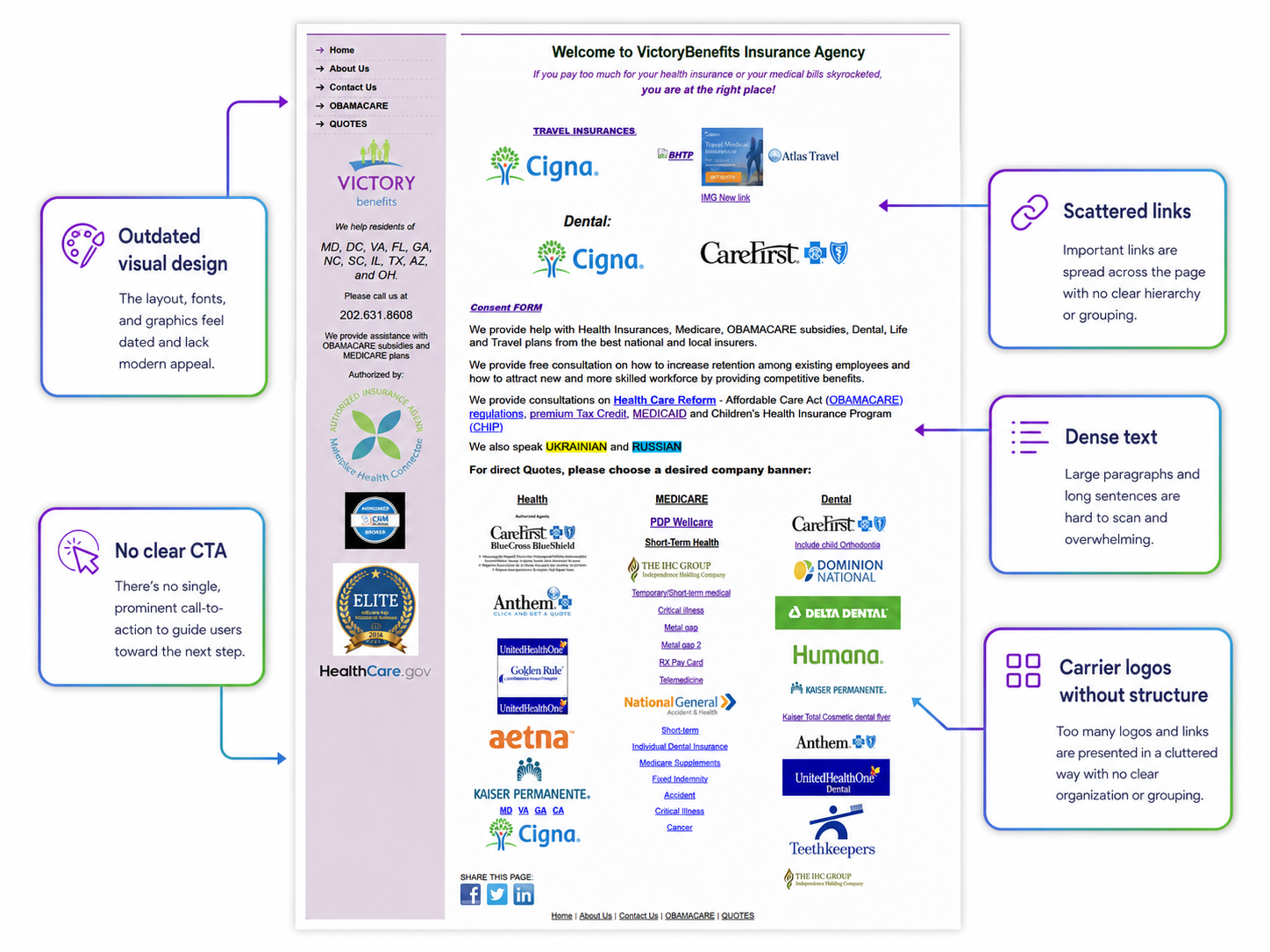
UX audit identifying key usability issues with the original website design.
UX Challenge
Insurance websites need to help users quickly answer three questions:
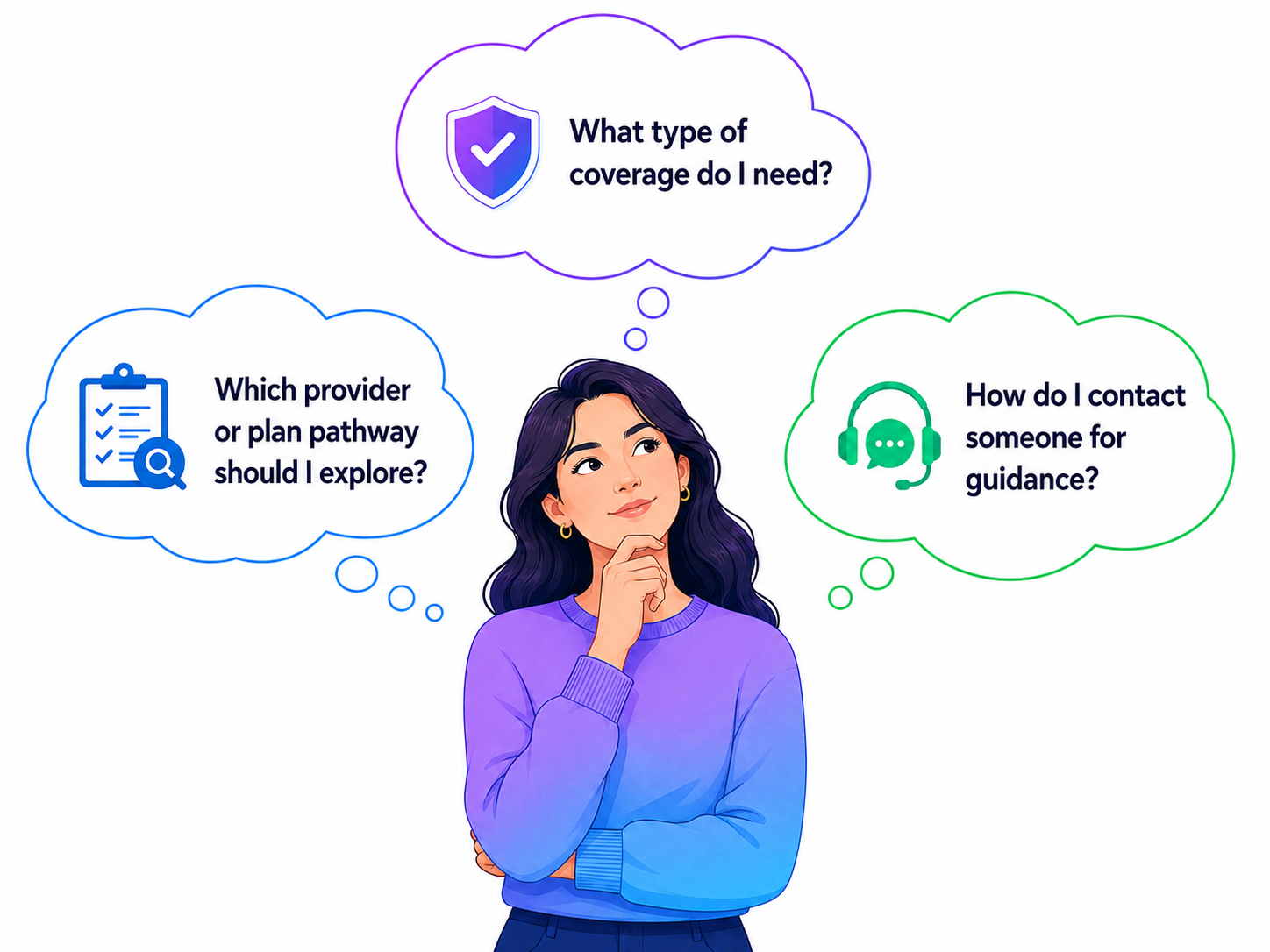
The old website presented many options, but users had to interpret the structure themselves. My challenge was to reduce cognitive load while preserving the agency's broad service offering and provider relationships.
Design Solution
I redesigned VictoryBenefits as a service-based insurance guidance platform. The goal was to make complex insurance information easier to understand, organize services into clear decision pathways, and help users confidently move from browsing to requesting support.
Instead of treating the website as a collection of links, I created a guided experience organized around the main decisions users need to make: choosing a coverage category, understanding available support, reviewing provider options, and contacting the agency for help.
1. Service-Based Information Architecture
I reorganized the website around the major types of support users are likely to need:
- Health insurance for individuals and families
- ACA Marketplace, Medicaid, and CHIP guidance
- Medicare plan guidance
- Dental, vision, and supplemental coverage
- Travel medical insurance
- Small business benefits
- Multilingual insurance support
This structure helps users quickly identify the right category instead of searching through unrelated links or long text blocks.
The redesigned pathway section helps users choose the type of insurance support they need before exploring specific plan or provider options.
2. Clearer Content and User Pathways
I rewrote and reorganized the website content into shorter, more scannable sections. Each major service area now includes a clear title, short explanation, relevant use cases, and a direct next step.
This changed the experience from a static information page into a guided decision flow where users can understand what applies to them and what action to take next.
For example, the redesigned site separates health insurance, ACA Marketplace guidance, Medicare, dental/vision/supplemental coverage, travel insurance, and business benefits into focused sections instead of grouping them together in long paragraphs.
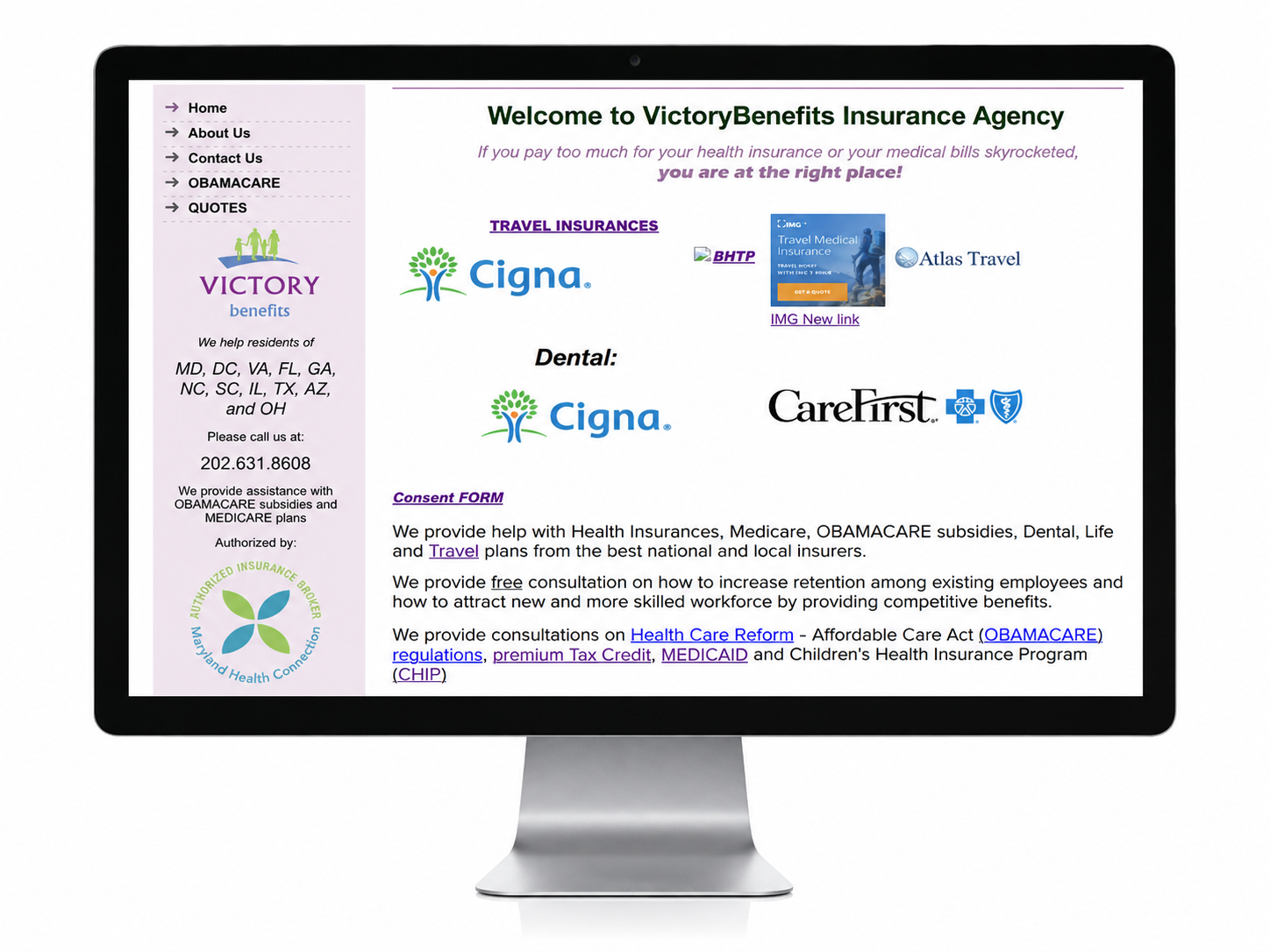
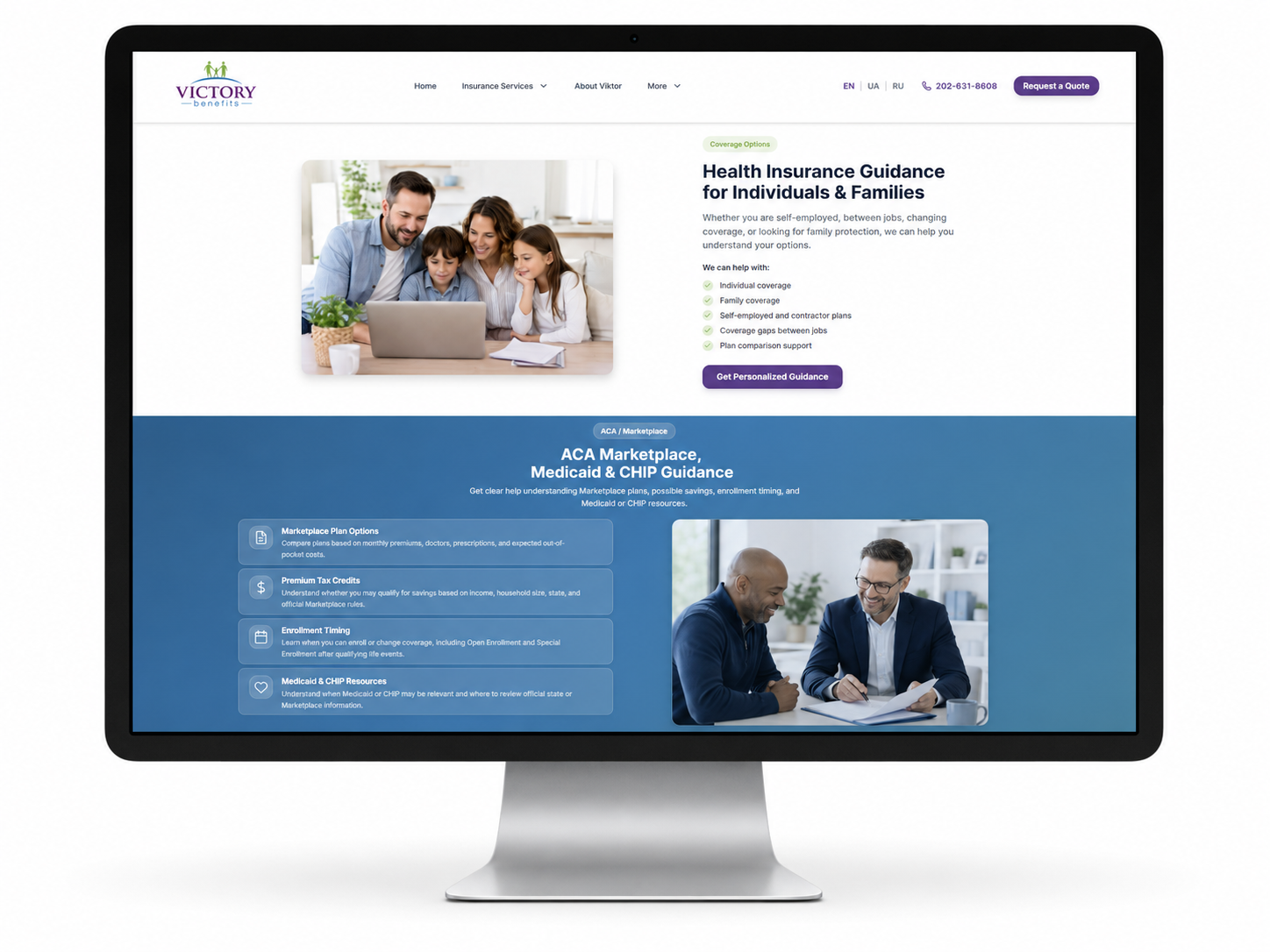
Dense paragraph content was transformed into structured service sections with clearer headings, shorter copy, and more visual grouping.
3. Stronger Trust and Provider Organization
I made trust-related information more visible and easier to understand. The redesigned website highlights:
- Licensed insurance producer positioning
- Recognized insurance companies
- States served
- Multilingual support
- Producer experience
- Contact information
- Educational insurance resources
Carrier logos and provider links were reorganized into a structured provider section. This helps users understand that VictoryBenefits works with multiple recognized insurance companies while making quote pathways easier to find.
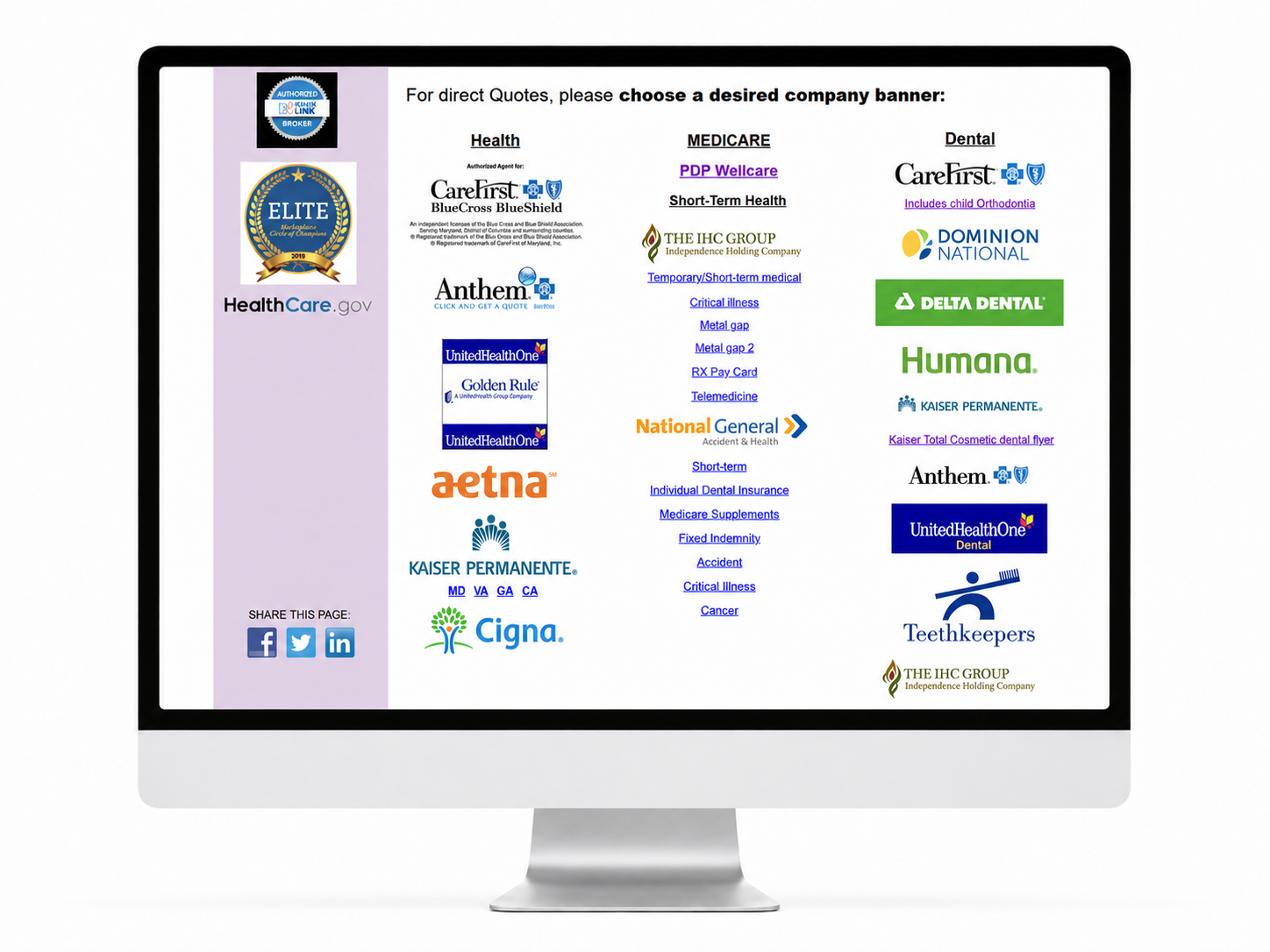
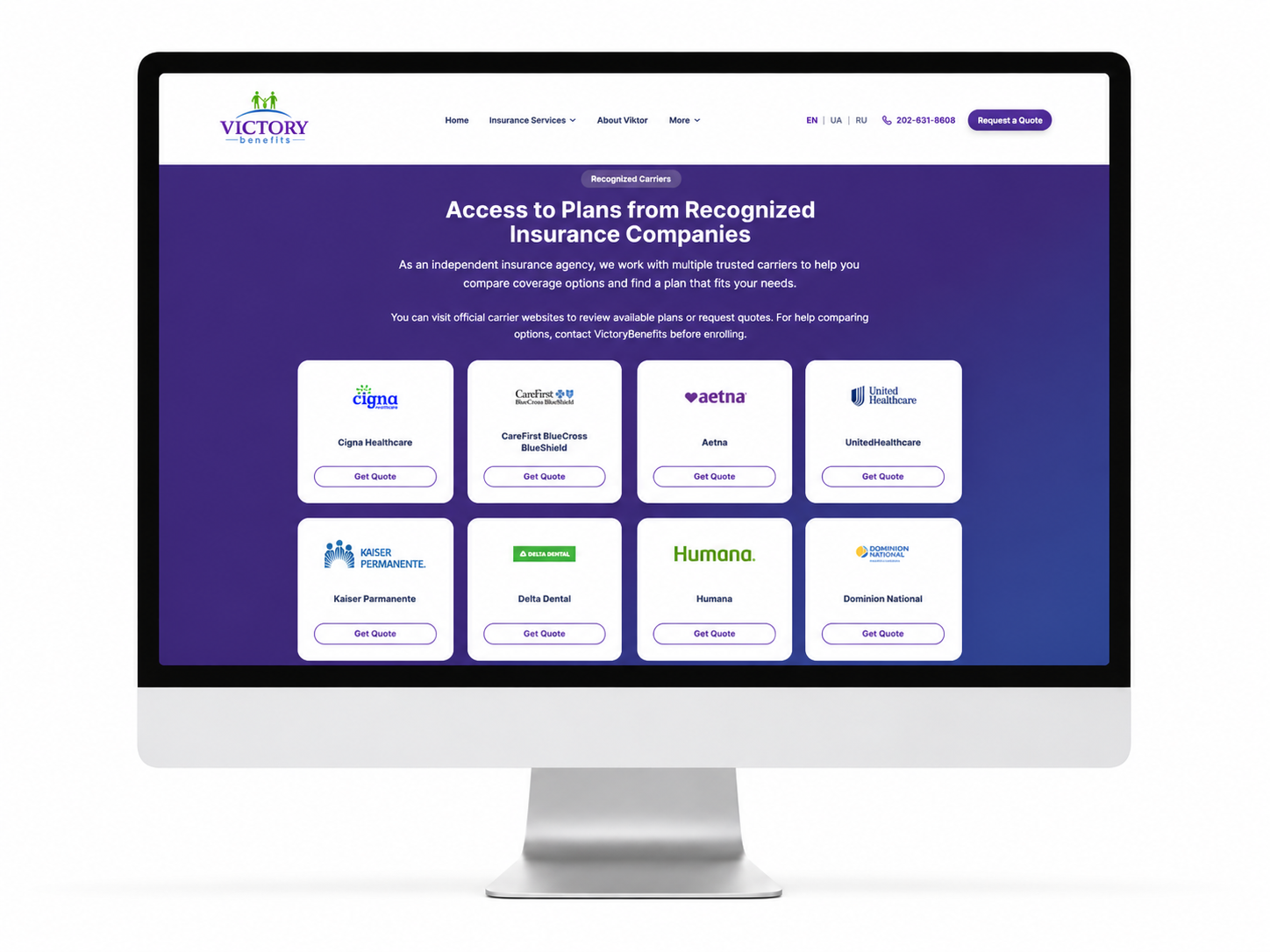
Provider logos were reorganized into a cleaner directory-style section with consistent cards and visible quote actions.
4. More Visible Calls to Action
I made consultation and quote-request pathways more prominent throughout the site. The redesigned website gives users multiple ways to take action depending on where they are in the experience:
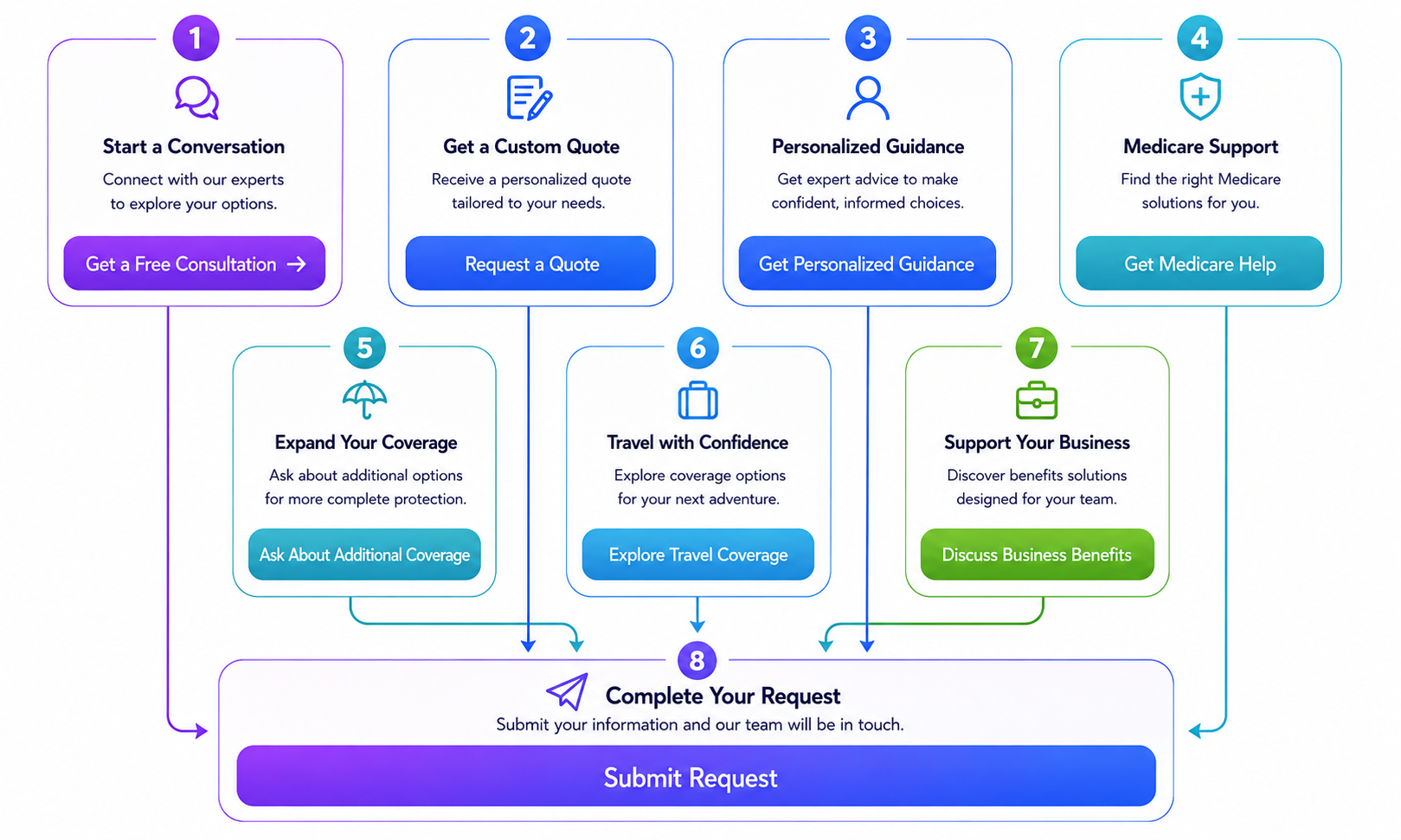
Instead of relying mainly on small text links, the new design uses clear buttons and repeated action points across relevant service sections. This creates a more direct path from browsing to contacting the agency.
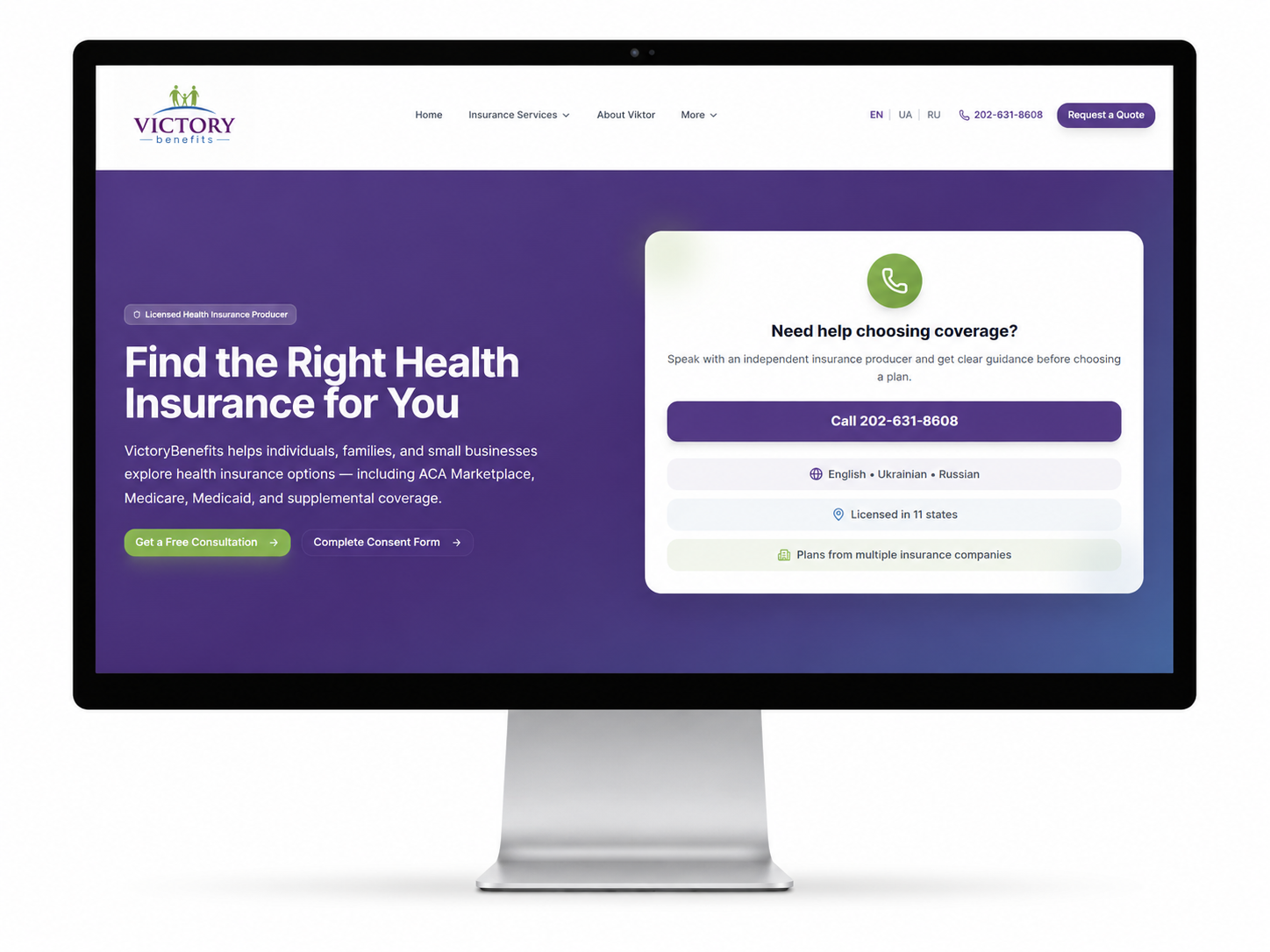
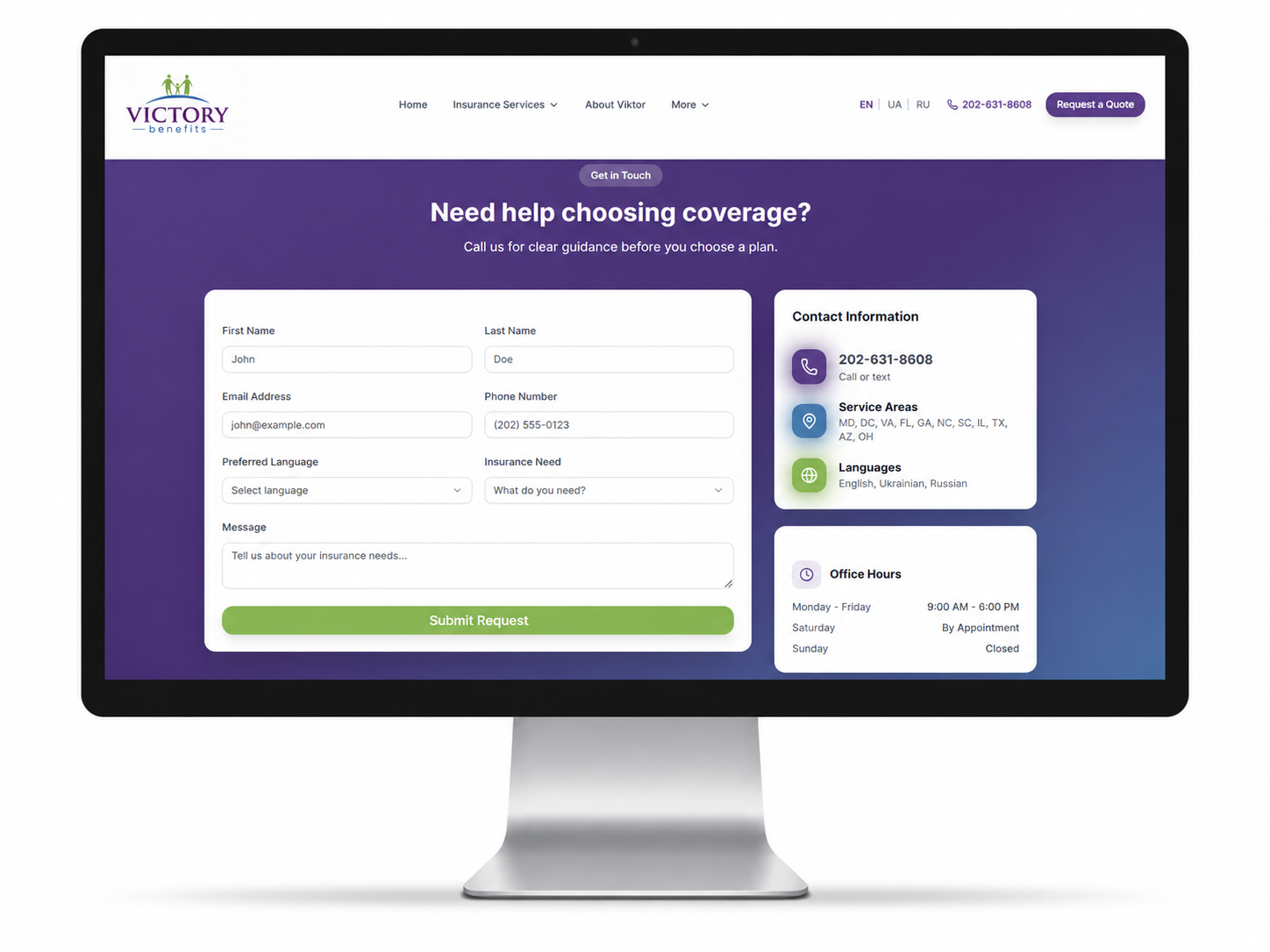
The redesign makes contact and quote-request actions more visible throughout the user journey.
5. Modern Visual Interface
I updated the visual design to create a calmer, more professional healthcare and insurance experience. The redesign uses:
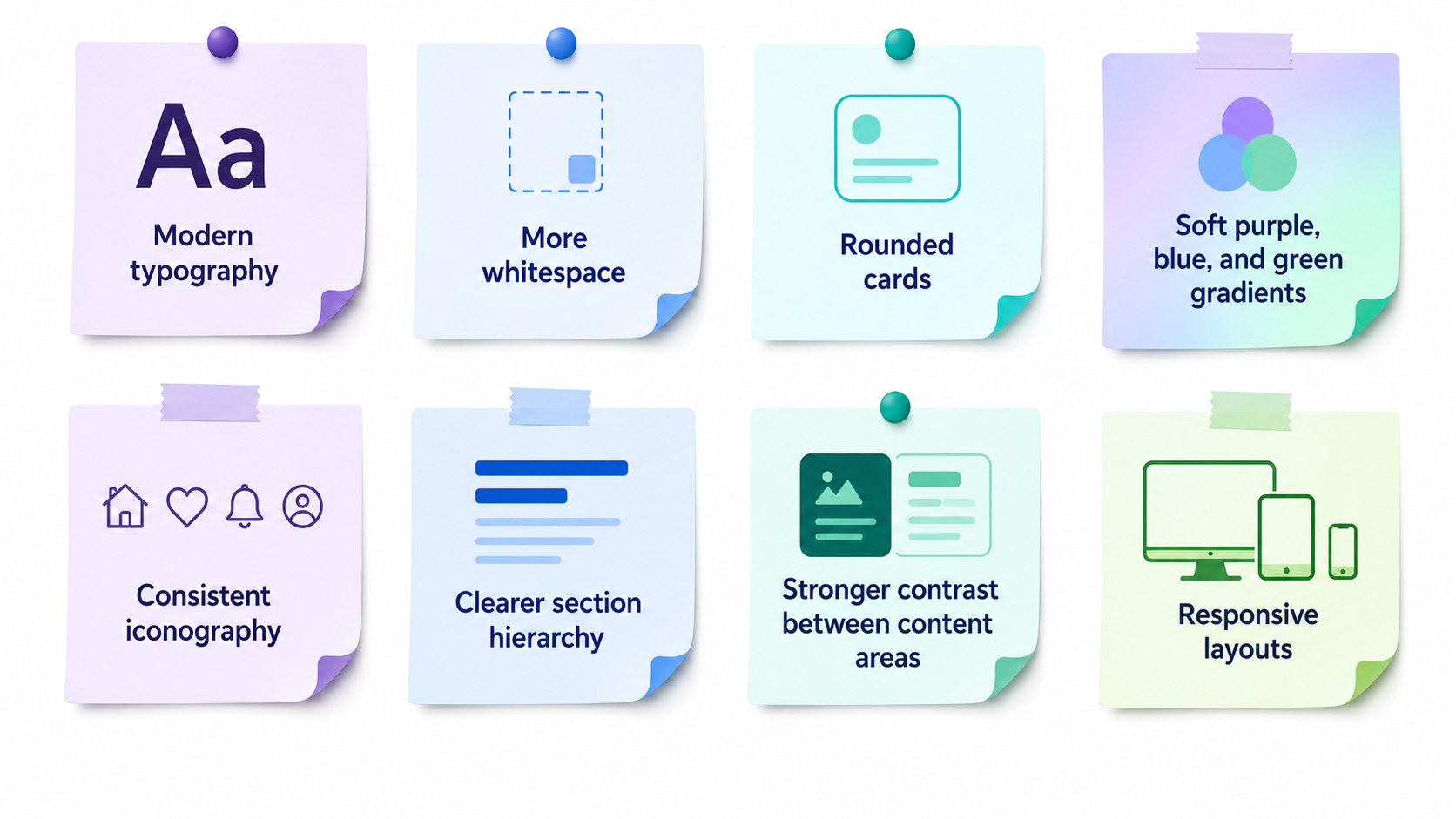
The final interface feels more polished, easier to scan, and better aligned with the trust expectations of healthcare and insurance users.
The new visual system creates a more modern, trustworthy, and healthcare-oriented experience.
6. Mobile-Friendly and Responsive Experience
The redesigned layout uses responsive sections, larger text, clearer spacing, and card-based content blocks to make the experience easier to use across devices.
This was important because users may visit the site from a phone while comparing insurance options, checking enrollment information, reviewing provider links, or looking for quick contact details.
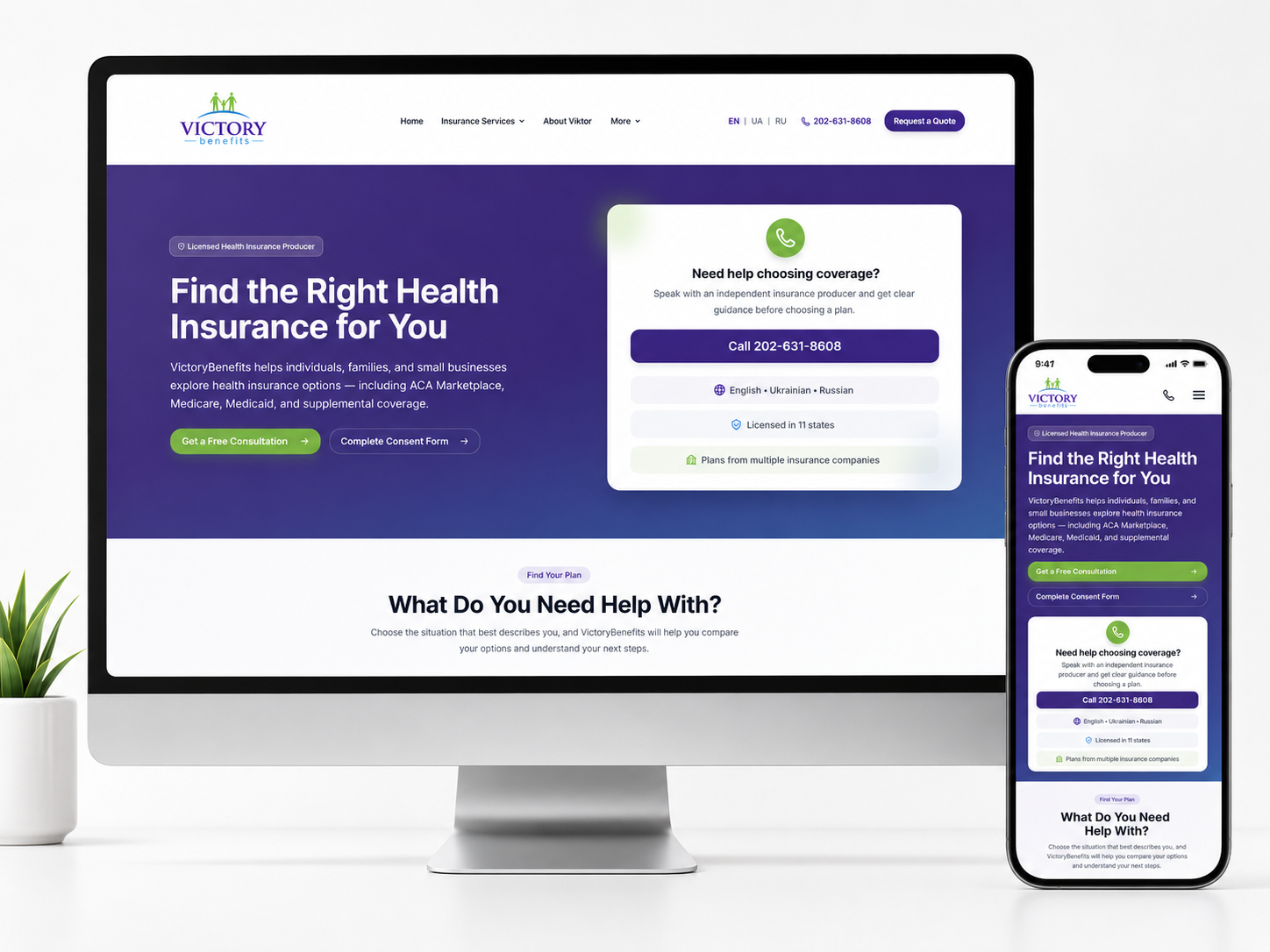
The redesigned experience is structured to work across screen sizes, with clearer service sections and more accessible contact pathways.
7. Organized Educational Resources Into an Interactive Guidance Map
I also redesigned how insurance resources are presented. In the original website, important links related to ACA, Medicaid, CHIP, Medicare, dental, travel insurance, and enrollment information were scattered across different parts of the site.
In the redesign, I organized these resources into a dedicated interactive section called Helpful Insurance Resources. Instead of forcing users to search through multiple pages or text links, the new experience presents key resources as a guided visual pathway.
The resource map includes topics such as:

This section helps users quickly find educational information without overwhelming them. It also supports the agency's role as a guidance partner, not just a place to request quotes.
Educational links were reorganized from scattered page links into a centralized interactive resource map, making insurance information easier to discover and understand.
Final Outcome
The redesigned VictoryBenefits website is clearer, more professional, and easier to navigate. The final experience transforms a dated insurance website into a structured guidance platform for users exploring health insurance, ACA Marketplace support, Medicare, dental and vision coverage, travel medical insurance, supplemental plans, and small business benefits.
The redesign improved:
- Service discovery
- Insurance category navigation
- Provider organization
- Content readability
- Trust and credibility
- Multilingual access
- Educational resource discovery
- Quote-request and contact flow
- Mobile usability
By organizing the website around user needs, clearer decision pathways, and centralized resources, the final experience helps visitors understand their options faster and take the next step with more confidence.